 3 Patti World
3 Patti World Problems: Solve Issues With a Calm Checklist
3 Patti World Problems (also searched with 3 Pati World) are usually solvable when you separate symptoms from causes. An OTP delay is not the same as a banned number. A pending withdrawal is not automatically a lost balance. A deposit SMS from JazzCash or EasyPaisa does not always mean the game ledger has finished posting. This page gives Pakistani players a structured way to diagnose common failures before panic depositing or installing random APKs from strangers.
Use official download channels on download app and APK download. Keep your login number active. Follow clean deposit and withdrawal habits. When gameplay confusion appears, revisit how to play. Support works fastest when your account history is tidy and your screenshots are complete.
Many players in Pakistan prefer explaining issues in Urdu mixed with English terms like OTP, APK, JazzCash and EasyPaisa. That is fine. Agents generally understand bilingual messages. What matters is evidence: user ID, phone number used, time in PKT, amount, transaction ID and clear screenshots. Emotional one-line complaints without proof slow everything down.
Security warning first: nobody legitimate needs your JazzCash MPIN, EasyPaisa PIN, SMS OTP, or CNIC photo in a random WhatsApp broadcast. Official support flows stay inside verified app channels or documented site processes. If someone offers to “fix withdrawal instantly” after you share OTP, it is a scam.
APK Install Fail: Permissions, Storage and Conflicting Builds
APK install failure is one of the top onboarding blockers. Android may block unknown sources, storage may be full, or an older 3 Patti World signature may conflict with a new package. Start by freeing several hundred megabytes, downloading the APK again from the official page, and enabling install permission only for the browser or file manager you trust for this action.
If install parses then fails, uninstall any older conflicting build first. Reboot the phone, then install the fresh file. On heavily customized Android skins, battery savers and second-space clones can interfere. Install into the primary user profile first. Avoid cracked “mod menus” that promise unlimited chips; they often break login and payment screens and can steal sessions.
Network interruptions during download create partial APKs that fail verification. Delete the broken file completely before retrying. If your antivirus or Play Protect warns, compare the download source. Official packaging and random Telegram file forwards are not equal. When in doubt, re-download from the site rather than ignoring a warning on an unknown file.
After installation, open once on Wi-Fi, grant essential permissions, and test login before depositing. An install that cannot login is not finished. Catching that early protects your JazzCash balance from sitting idle while you troubleshoot overnight.
Some Android versions show a parse error when the APK is incomplete or renamed oddly by third-party downloaders. Prefer the original filename from the official download flow. If your browser moves files into a sanitized downloads folder, open the file from that folder rather than sharing it through chat apps that recompress or rename packages. Chat-forwarded APKs are a frequent source of mysterious install failures among Pakistani friend groups.
Login OTP Problems and Session Loops
OTP issues appear as delayed SMS, expired codes, endless resend loops, or wrong-number errors. Confirm you typed the Pakistani mobile format exactly as registered. Wait for the full timer before tapping resend; rapid resends can throttle delivery. Check signal, SMS inbox filters and dual-SIM priority so the code arrives on the SIM you intended.
If OTP never arrives, reboot, toggle airplane mode, clear the phone’s SMS storage if full, and verify the number can receive other service messages. Some devices block SMS from short codes. Temporarily disable aggressive SMS blockers. Still failing? Try at a different hour; carrier congestion happens during peaks.
Login loops after correct OTP often mean unstable connectivity or an outdated app. Update the APK, clear app cache if available without deleting account data unless instructed, and avoid VPN jumping between countries during authentication. Stay on one network path until the session stabilizes.
Never share OTP with anyone claiming to be support. OTP is the key to your account. Real agents ask for user ID and screenshots, not live codes. If you accidentally shared an OTP, change security where possible and contact official support immediately.
Deposit Not Credited: JazzCash and EasyPaisa Checklist
Deposit not credited is stressful because your wallet already deducted PKR. Stay methodical. Open JazzCash or EasyPaisa history, confirm success status, save transaction ID, amount, date and time. Then open 3 Patti World deposit history. Sometimes credits post after a short delay even though SMS arrived instantly.
Common causes include submitting payment after the in-app order expired, paying a wrong reference, using an unsupported pathway for that moment, or depositing while the app was force-closed mid-confirmation. Re-read the live deposit instructions from the deposit page and match them exactly on the next attempt only after the previous case is resolved.
Do not create three new deposits hoping one “pushes” the missing credit. Multiple overlapping payments complicate reconciliation. One missing deposit equals one evidence pack equals one support ticket. Include user ID, phone number, wallet type, transaction ID, amount, PKT timestamp and screenshots of both wallet and game screens.
If EasyPaisa or JazzCash shows pending on the wallet side, fix wallet pending first. Game credit cannot appear for a payment that never finished at the operator. Open the wallet app, confirm status, and only then compare against 3 Patti World history. This sequence alone closes many false “game bug” reports every week.
Evidence pack: Wallet success screen + game deposit history + user ID written in text. That trio solves most credit delays faster than long stories.
Withdrawal Pending or Failed
Pending CHIP OUT requests need patience and verification. Confirm bound JazzCash or EasyPaisa ownership, withdrawable balance rules, and whether a previous request is still open. Duplicate withdrawals while one is pending can lock more chips and confuse status tracking.
If pending exceeds a fair window, contact support with request time, amount, wallet type and CHIP OUT screenshots. Check wallet receive limits and KYC status too. Sometimes the game processed successfully but the wallet rejected the credit. That is a different fix path than an in-app pending queue.
Failed withdrawals should restore eligible balance after confirmation. Refresh history before retrying. Fix the root cause first: wrong number, below minimum, above maximum, or bonus still locked. Detailed withdrawal discipline is covered on the withdrawal page; use it to prevent repeat tickets.
App Crash, Freeze and Black Screen Fixes
Crashes often track back to low storage, outdated builds, overheating, or aggressive battery optimization killing the process mid-hand. Free storage, update the app, restart the device, and exclude 3 Patti World from ultra-battery modes that force-stop background activity during sessions.
Graphics glitches may improve after switching to a stable Wi-Fi network or reducing multitasking. If crash loops start right after an incomplete update, reinstall from the official APK. Back up important screenshots of balances and pending payments before uninstalling so support evidence remains available.
If a crash happens during a hand or cash out, reopen promptly and check history before placing new bets. Document anything that looks inconsistent. Avoid rage-deposits immediately after a crash; stabilize the technical issue first.
Update Issues and Version Mismatch
Update prompts appear when servers require a newer client. Downloading from unofficial mirrors can leave you on hybrid versions that login but fail payments. Always update from the same trusted source you used initially. Delete the old APK file after success to avoid installing stale copies later.
If the app says update required but the new file will not install, uninstall the old version carefully after saving evidence, then install fresh. Make sure you know your login number. After updating, test login and a tiny optional feature before large deposits.
Event-season traffic can make update servers slower. A failed download is not always a blocked account. Retry on Wi-Fi, verify file size looks complete, then install. Keep your phone charged; mid-install power loss corrupts packages.
Urdu Help Notes for Clearer Support Chats
Aap support ko clear Urdu/English mix mein message bhej sakte hain. Zaroori baatein likhein: user ID, mobile number, problem kab shuru hui (PKT time), JazzCash ya EasyPaisa, amount, transaction ID, aur screenshots. Sirf “deposit nahi aya” likhne se delay hota hai. Poori detail se reply jaldi aati hai.
OTP kisi ko share na karein. MPIN/PIN bhi private rakhein. Agar koi shakhs kehta hai ke OTP do to withdrawal release karenge, woh scam hai. Official help account security todne ko nahi kahegi. Problem explain karein, proof do, aur ek hi channel par follow-up rakhein taake duplicate tickets na banein.
Common phrases that help agents: “APK install fail aa raha hai”, “OTP SMS nahi aa rahi”, “JazzCash success hai lekin game balance update nahi”, “CHIP OUT pending hai”, “update ke baad app crash ho rahi hai”. Short precise lines beat long voice notes without screenshots.
How to Contact Support the Smart Way
- Reproduce once calmly. Confirm the issue still happens after refresh, reboot or re-login.
- Collect evidence. Screenshots, transaction IDs, timestamps and user ID in text form.
- State the goal. Example: credit missing deposit, unlock pending withdrawal, restore login access.
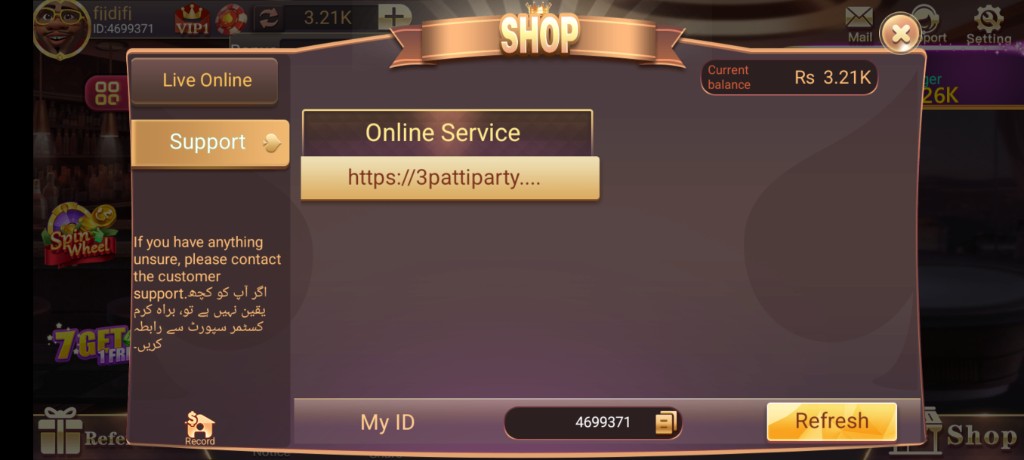
- Use in-app help first. Official channels keep account context attached.
- Follow one thread. Avoid opening five chats with different stories about the same payment.
- Wait for ledger checks. Payment traces take time; repeated new deposits muddy the trail.
- Confirm resolution. Verify balance, then resume normal play or withdrawal.
- Harden security. After fixes, refuse OTP phishing and keep the official APK only.
| Problem | First checks | Escalate with |
|---|---|---|
| APK install fail | Storage, permissions, official file, old build removed | Device model, Android version, error screenshot |
| OTP not received | SIM signal, timer, SMS blockers, correct number | Number, time of attempts, carrier/dual-SIM notes |
| Deposit not credited | Wallet success, matching reference, wait window | Txn ID, amount, PKT time, both-side screenshots |
| Withdrawal pending | Bound wallet, single request, withdrawable balance | CHIP OUT proof, wallet type, request timestamp |
| App crash | Update, storage, battery optimizations, reboot | Crash timing, screen state, version number |
| Update loop | Fresh official APK, uninstall conflict, Wi-Fi download | Old/new version info and install error text |
Still blocked? Start from a clean official install
Reinstall the latest 3 Patti World APK, login carefully, and reopen support with a complete evidence pack.
3 Patti World Problems FAQs
1. Why does my 3 Patti World APK fail to install?
Usually because of missing install permission, low storage, a corrupted download, or conflict with an older build. Re-download officially, free space, remove old versions and try again.
2. What if login OTP never arrives?
Check signal, dual-SIM inbox, SMS blockers and the exact registered number. Wait out the resend timer. Update the app and retry on a stable network before contacting support.
3. JazzCash shows success but chips are missing. What now?
Save the transaction ID and screenshots, confirm you paid against the correct deposit order, wait a fair posting window, then open one support ticket with full evidence.
4. How long should I wait on a pending withdrawal?
Many requests finish within minutes to a few hours. If pending remains beyond a reasonable window, send CHIP OUT details to support instead of submitting duplicates.
5. The app crashes when I open tables. Can I fix it myself?
Yes often: update, free storage, reboot, disable aggressive battery savers and reinstall from the official APK if the build is damaged.
6. Do you provide Urdu support?
Players can usually explain issues in Urdu or mixed Urdu-English. Focus on clear facts and screenshots. Bilingual detail is better than vague one-liners.
7. Is it safe to give OTP to a Facebook “agent”?
No. Never share OTP, MPIN or passwords. Real support does not need your SMS code to “release” funds through a stranger’s chat.
8. Update says installed but the app still asks to update.
You may have launched an old shortcut or mixed versions. Uninstall conflicting builds, install the latest official APK once, and open the fresh icon.
9. Can referral or bonus locks look like missing balance?
Yes. Bonus funds may be visible yet not withdrawable. Check offer rules and withdrawable balance before assuming a system error.
10. What details speed up every support case?
User ID, PKT time, amount, wallet type, transaction or request IDs, device model, app version and screenshots of both the wallet and the game screen.
Turn Problems Into a Repeatable Process
3 Patti World Problems feel smaller when you use checklists. Install from official sources, protect OTP, reconcile deposits with transaction IDs, treat pending withdrawals patiently, repair crashes with updates and storage hygiene, and write bilingual support messages that include proof. That process works across Karachi, Lahore, Islamabad and every other Pakistani city network condition.
Bookmark this page beside deposit, withdrawal and download pages. Most emergencies are combinations of those topics, not mysteries. When something fails, pause new payments, gather evidence, and follow one clean path to resolution. Then return to entertainment with a stable app and a safer account posture.
If you are stuck right now, start with the matching section above, complete its first checks, and only then escalate. Controlled troubleshooting recovers more balances than frantic retries ever will.
Device and Network Preconditions Most Players Skip
Before blaming 3 Patti World Problems on the server alone, verify local preconditions. Phones with almost-full storage corrupt downloads and crash mid-hand. Devices running many clone apps fight for memory. Public café Wi-Fi with captive portals can break OTP and payment callbacks. Switching between Wi-Fi and mobile data during CHIP OUT or deposit confirmation is a classic way to lose the success screen even when money movement continues in the background.
Create a stable troubleshooting environment: charge above 30%, connect to a trusted network, close unused apps, and keep a second device or computer ready to view JazzCash or EasyPaisa web history if needed. Capture screenshots immediately; some success toasts disappear and are hard to recreate. If you use dual apps or parallel space, prefer the primary installation for payments so paths stay consistent for support review.
Time zone discipline helps too. Always report times in Pakistan Standard Time and mention whether you mean the wallet SMS time or the in-app history time. Mixed clocks create false “missing for hours” reports that were actually minutes. Clear time reporting is a quiet superpower in payment tickets.
Account Access Problems Beyond OTP
Sometimes login fails for reasons other than SMS. Wrong country code formatting, recently changed SIM ownership, or attempting to login on a rooted device with aggressive security overlays can block sessions. If you changed your phone number in real life, do not assume the game profile updated automatically. Prepare identity evidence early and contact official support through in-app help rather than social media middlemen.
Shared family phones cause accidental account switches and confusion about whose JazzCash is bound. Use logout on shared devices and avoid saving OTPs in public notification previews when possible. If you suspect unauthorized access, document unusual login times, freeze further deposits, and request help immediately. Speed matters more than perfect wording when security is involved.
Referral-related login confusion also appears when friends install through your link but try to reuse an old guest profile. Encourage a clean registration path from the register page so accounts bind correctly the first time. Clean identity trails reduce later disputes about deposits and Refer & Win eligibility.
Prevention Habits That Reduce Future Tickets
Most 3 Patti World Problems are cheaper to prevent than to repair. Update the app the same day you see a mandatory prompt. Keep one official APK source bookmark. Maintain a folder of payment screenshots for thirty days. Use your own CNIC-linked wallets only. Avoid VPN hopping during cashier actions. Do not install random “helper” tools that request accessibility permissions around gaming apps.
Weekly, confirm that login still works, deposit history looks correct, and withdrawable balance matches your understanding of bonuses. A five-minute Sunday check prevents Friday-night emergencies when support queues are longest. Pair prevention with responsible play limits so technical stress and bankroll stress do not stack on the same evening.
When you do need help, be courteous and complete. Agents process hundreds of messages. A crisp Urdu-English brief with proof is easier to reward with a fast investigation than anger without attachments. Your goal is resolution, not winning an argument. That mindset shortens every 3 Patti World support journey in Pakistan.