
3 Patti World download app overview for Pakistan
Searching for “3 Patti World download app” or 3 Pati World Download App help usually means one thing in Pakistan: you want a reliable Android package for 3 Patti World, a clear install path, and confidence that the lobby will open without Play Store availability. This page is written as a full install manual for adults aged 18+. It covers preparation, unknown sources, storage, first launch, registration, and the payment habits that matter when you later use JazzCash or EasyPaisa in PKR.
Sideloading an APK is common across South Asia for regional entertainment apps. The risk is not the idea of sideloading itself — the risk is downloading from the wrong person, enabling install permissions permanently on a shared phone, or rushing into deposits before you understand the interface. Treat the download like installing a banking companion: verify the URL, keep the file name recognizable, and complete setup in a calm moment with stable internet.
This page pairs with the APK latest page, where version 1.168 and package size details live. Use that page for the actual file, then return here whenever a friend asks how to install. Clean URLs such as /download-app/ are easy to share on WhatsApp without ugly .html endings, which helps keep instructions consistent across Karachi, Lahore, Islamabad, Faisalabad, Multan, and smaller cities where 4G quality varies.

System requirements and preparation
Before you tap Download, spend two minutes preparing the device. Free storage is the silent deal-breaker on older phones. The APK itself is about 55MB, but Android needs extra room to unpack, create app data, and cache lobby assets. If you only have 80MB free, delete unused WhatsApp videos or move photos to an SD card first. A safer target is several hundred megabytes free so the first update does not fail later in the week.
Network quality matters during download more than during casual browsing. A flaky connection can produce a truncated APK that looks complete in Downloads yet fails signature checks during install. Prefer Wi-Fi when possible. On mobile data, pause large backups and avoid switching between apps that aggressively kill downloads. If your browser supports download resume, leave it open until the progress bar finishes and the file size looks correct.
| Requirement | Recommended for Pakistan users | Why it matters |
|---|---|---|
| Platform | Android smartphone or tablet | Primary distribution is Android APK |
| Storage | ~55MB APK + extra free space | Prevents install and update failures |
| Internet | Stable Wi-Fi or strong 4G | Avoids corrupt downloads and login timeouts |
| Identity | Personal Pakistan mobile number | Needed for OTP register and wallet matching |
| Payments | JazzCash or EasyPaisa access | Used later for PKR deposit and withdrawal |
| Age | 18 years or older | Responsible adult play only |
Also prepare mentally: decide whether you are installing only to explore the lobby or whether you plan a small first deposit. You do not need JazzCash or EasyPaisa merely to install. Payments come after registration. Keeping those stages separate reduces pressure and mistakes.
Numbered steps to download and install
- Open https://3patiworld.com.pk/on your Android browser and navigate to /apk-download/ for the latest package.
- Tap the download button and wait until the APK file finishes saving to your Downloads folder without interruption.
- Open the downloaded file. When Android warns that the app is from an unknown source, choose the option to allow install for your browser or Files app.
- Confirm Install, wait for the progress indicator, then tap Open. If Open is missing, find 3 Pati World on your app drawer.
- Grant only reasonable permissions requested at runtime. Deny anything that feels unrelated, then proceed to Register or Login.
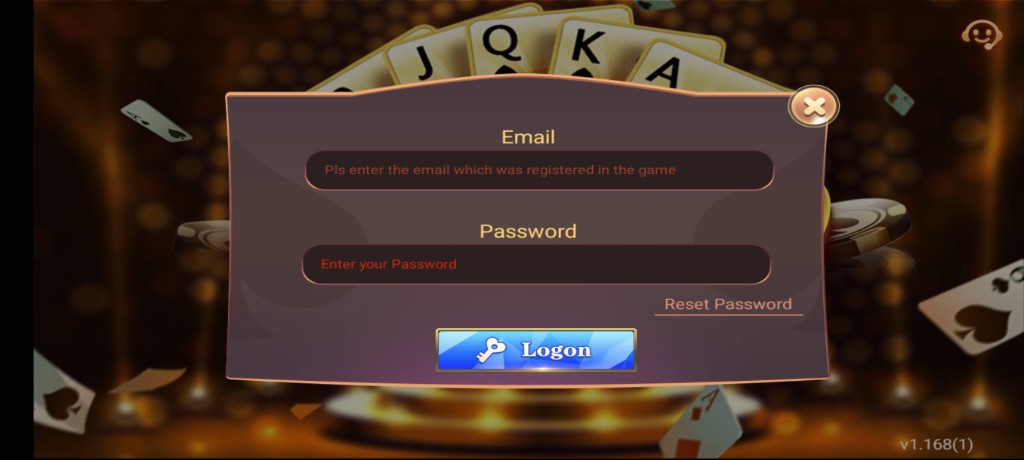
- Create your account with a number you control, verify the OTP privately, and explore the lobby before any PKR deposit.
- Optional: open Deposit later, choose JazzCash or EasyPaisa, and fund a small test amount after reading on-screen instructions.
- When finished installing, return to system settings and disable install permission for the browser until the next update.

Unknown sources on modern Android
Older Android versions used a single global “Unknown sources” toggle. Newer versions ask you to allow a specific installer — Chrome, Firefox, Samsung Internet, or the Files app. That change is good for security because it limits which apps can push packages onto your phone. When the prompt appears, read it. Allow only the app that is actually opening the APK. If you downloaded via Chrome, allow Chrome. If you opened the file from Files, allow Files.
Some manufacturer skins bury the setting under Special access or Install unknown apps. If the install button stays grey, open Settings, search for “Install unknown apps,” pick your installer, and enable the permission. After 3 Patti World is installed, switch that permission off again. You can re-enable it for a minute when version 1.168 or a newer build arrives. This habit reduces the chance that a malicious document app quietly installs something else later.
Security habit: enable install permission → install the official APK → open the app once → disable install permission. Repeat only for updates from https://3patiworld.com.pk/
Corporate or heavily managed devices may block sideloading entirely. In that case you need a personal phone. Shared family tablets are also risky if children use the same profile. Prefer a lock-screen protected device that only adults can unlock, consistent with the 18+ rule emphasized across this site.
First-launch checklist after the download app flow
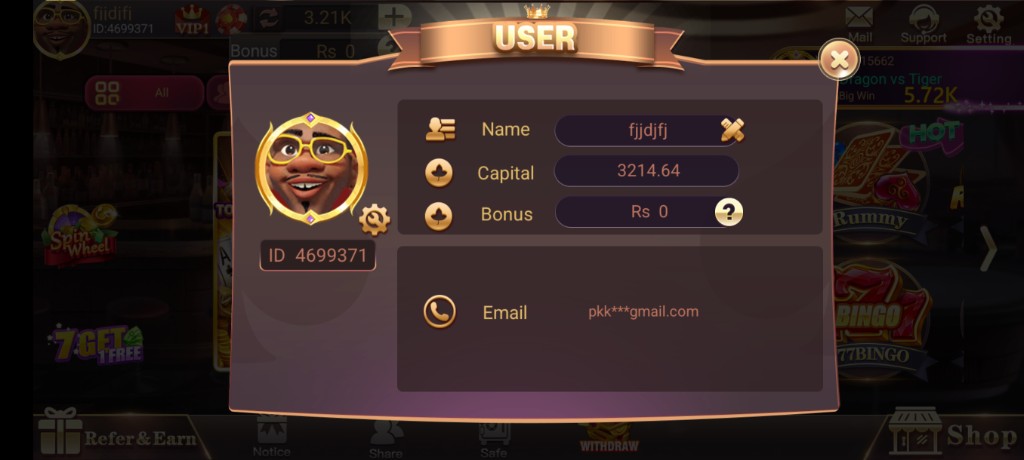
First launch should feel uneventful: splash screen, maybe a short asset download, then login or register. If the app sticks on a white screen, force-close it once and reopen on a stronger network. Check that the icon matches the branding you expect. Open the lobby and confirm you can see tables, profile, and support entry points. Screenshots on this site help you recognize a legitimate interface.
Walk the menus without depositing. Open How To Play concepts in your mind while tapping through Teen Patti rooms on the lowest stakes if demo-like browsing is available, or simply read rules offline first. Visit the bonus screen so promotional claims do not surprise you later. Open profile and confirm your number. Only when that orientation is done should you consider JazzCash or EasyPaisa funding.
Preparing JazzCash and EasyPaisa after install
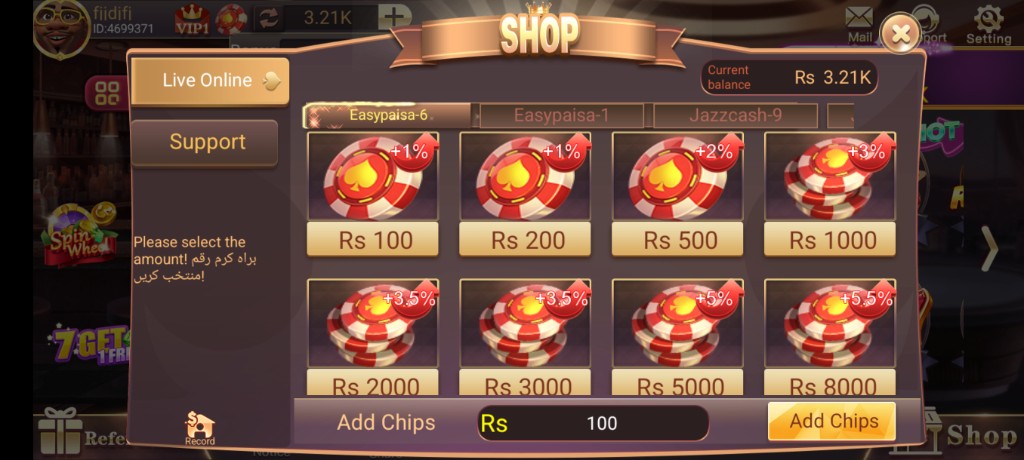
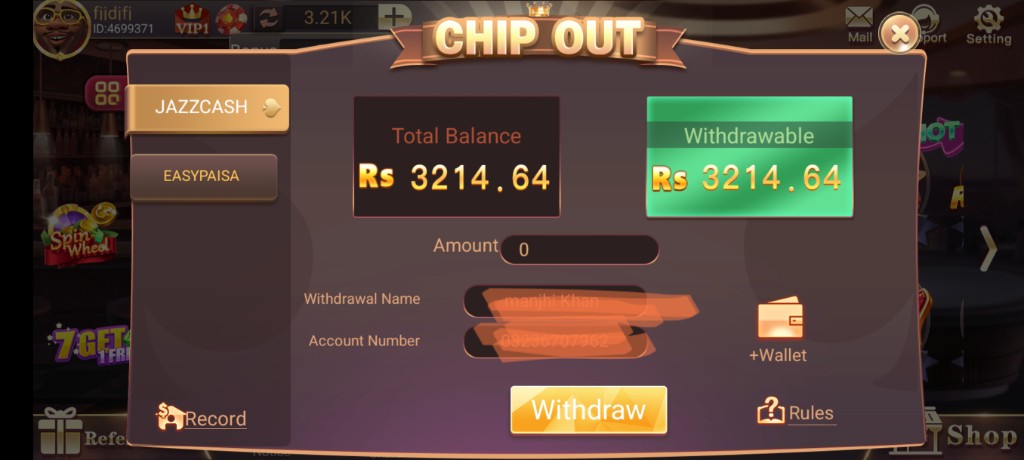
Installing the app does not move money. Payments happen inside Deposit and Withdrawal after you have an account. Still, preparing wallets in advance prevents rushed mistakes. Ensure your JazzCash or EasyPaisa app can send the amounts you intend. Know your daily limits. If your wallet name differs from the nickname you use socially, that is fine — what matters is that the mobile number and identity details align with what 3 Patti World expects during payouts.
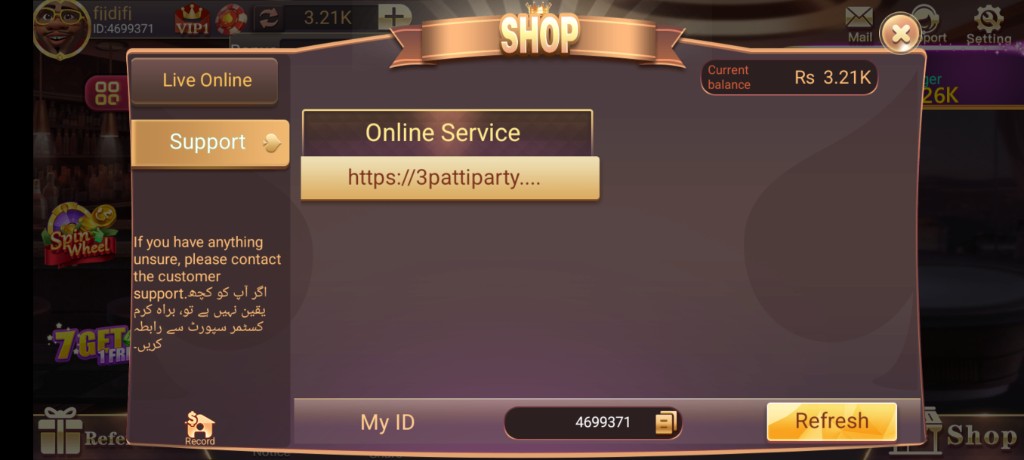
For the first deposit, choose a small PKR amount. Follow the shop instructions exactly: correct account, correct reference, correct total. Return to the app and wait. If chips do not appear, use Support with screenshots rather than sending a second payment immediately. For withdrawals, start modest as well until you have seen a successful cycle. Full details live on Deposit and Withdrawal pages; these install steps only ensure you do not confuse download steps with payment steps.
Troubleshooting common download and install problems
Problem: “App not installed.” Causes include conflicting package signatures from an older unofficial build, insufficient storage, or a partial download. Fix by uninstalling any previous 3 Patti World variant you no longer trust, freeing space, re-downloading from /apk-download/, and trying again. Problem: download stuck at 99%. Clear browser cache or switch networks, then restart the download. Problem: parse error. The file is corrupted or not a complete APK — delete it and fetch a fresh copy.
Problem: endless OTP wait. Check Jazz or Zong or Telenor or Ufone inbox delays, confirm you typed the number correctly, and ensure the SIM is active in the phone. Problem: login loop after update. Clear the app cache in Android settings, or reinstall the latest APK while remembering your password. Problem: lobby lag. Close background video apps, switch from congested 4G to Wi-Fi, and lower battery saver restrictions that throttle network for games.
| Symptom | Likely cause | What to try |
|---|---|---|
| Install blocked | Missing unknown apps permission | Allow installer, then retry APK |
| Parse error | Corrupt or incomplete file | Re-download latest APK |
| App not installed | Signature conflict / low storage | Uninstall old build, free space |
| No OTP | SMS delay or wrong number | Recheck number, wait, retry |
| Crash on open | Old OS cache or bad update | Clear cache, reinstall, reboot |
If issues persist, gather device model, Android version, APK version, and screenshots, then use in-app support or review Problems. Avoid “helpers” on social media who ask for TeamViewer access or wallet OTPs. Real technicians do not need your EasyPaisa PIN to explain an install error.
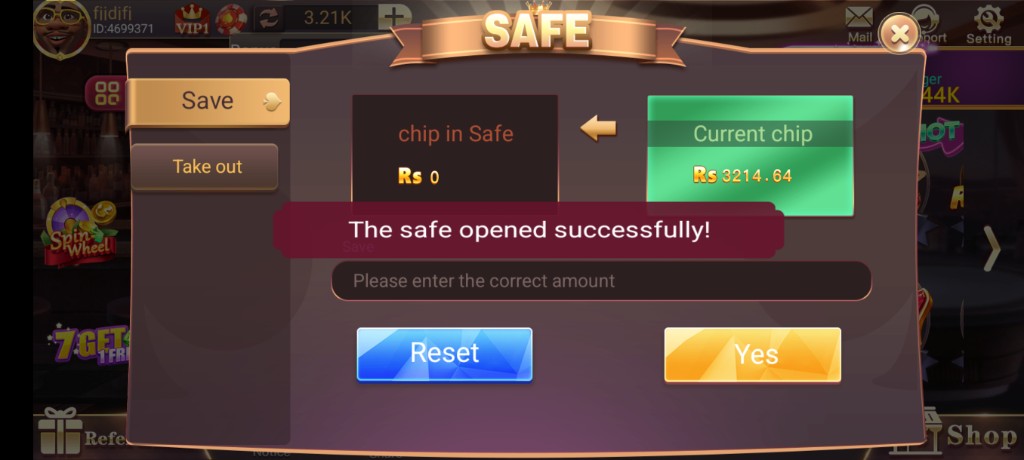
Safety tips specific to Pakistan APK downloads
Fake APKs often arrive as WhatsApp documents named similarly to 3 Patti World. Friends may forward files with good intentions after downloading from somewhere else. Break that chain. Send the clean URL /download-app/ or /apk-download/ instead of attaching binaries. Encourage your circle to install from the website so everyone lands on the same version lineage, such as 1.168, rather than a mix of old and unknown builds.
Watch for phishing pages that clone branding but use odd spellings or non-.pk domains. Bookmark https://3patiworld.com.pk/when you find it working. Check that SSL is present. Do not enter JazzCash PINs into random web forms that claim to “top up chips instantly.” Legitimate deposits follow in-app shop instructions. Likewise, nobody legitimate will ask you to share EasyPaisa OTP to “verify withdrawal.”
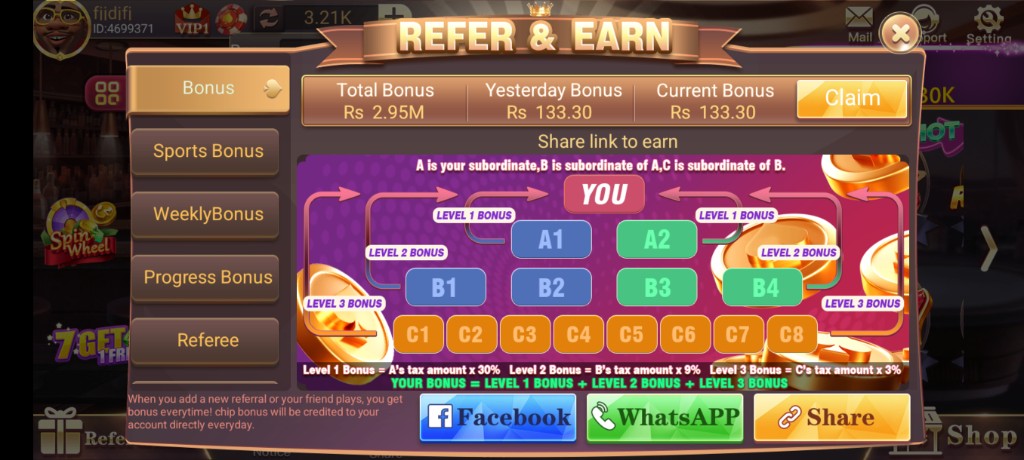
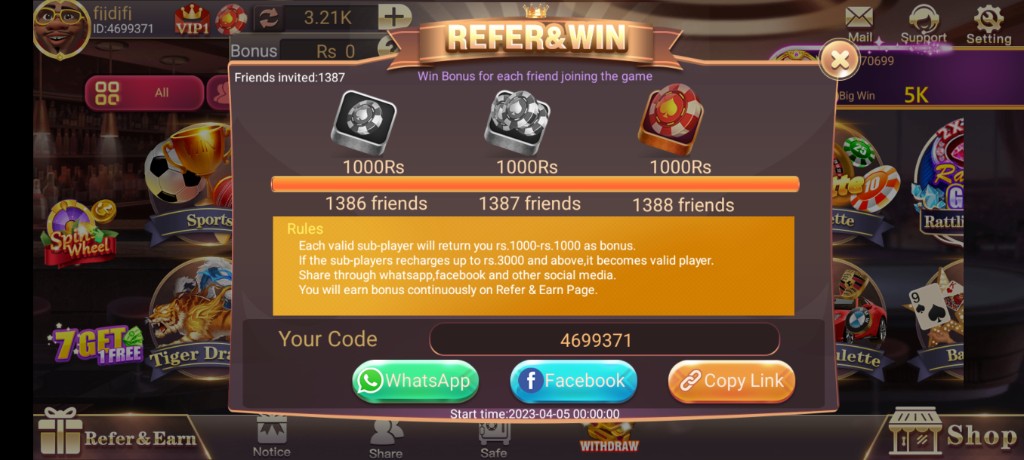
On a shared Android phone, create better boundaries. Use a screen lock. Do not leave unknown sources enabled. Log out if others borrow the device. Keep referral marketing honest when you share Refer Bonus links: adults only, real money risk disclosed, no pressure. Bonuses are optional; they are not a reason to skip safety.

Updating the app without losing your place
Updates usually overwrite the existing installation while keeping account data. Still, know your login credentials before updating. Download the newer APK, install over the old version when signatures match, and reopen. If Android demands uninstall first, withdraw available balances when possible beforehand and be ready to log in again. Read changelog notes on the APK page so you understand whether the update targets stability, payments UI, or lobby performance.
Do not install two conflicting Teen Patti clones side by side if they fight over storage or confuse you into depositing on the wrong icon. Keep one official client. Delete outdated APK files from Downloads after a successful update so relatives do not install stale packages months later. A tidy Downloads folder is an underrated security practice in Pakistani households where phones are frequently borrowed.
Performance tips after updates include clearing cache once, rebooting, and checking that battery optimization is not force-killing the app during payment confirmation screens. If you rely on JazzCash SMS confirmations, ensure notification access is not blocked. The download app journey ends when the client is stable; the money journey begins only when you deliberately open Deposit with a planned PKR budget.
In short: prepare storage and network, download from the official APK page, allow unknown sources temporarily, install, register, explore, then optionally fund with JazzCash or EasyPaisa. Keep permissions tight, share clean URLs, and play only if you are 18+. That is the entire philosophy of a safe 3 Patti World download app experience for Pakistan in 2026.
Device brands and OEM quirks common in Pakistan
Samsung, Xiaomi-related skins, Infinix, Tecno, Oppo, Vivo, and Realme devices dominate local shops. Each skin places “Install unknown apps” in a slightly different menu. If a setting search box exists in Settings, type “unknown” or “install” and open the matching result. On some phones, the prompt only appears when you open the APK from Files, not from the browser notification. In that case, open Downloads manually, tap the ~55MB package, and approve Files as the installer. Do not approve every app on the permission list — only the one opening the package.
Aggressive battery savers can also interrupt first launch asset downloads. If the lobby never finishes loading, temporarily disable battery optimization for 3 Pati World, connect to Wi-Fi, and reopen. After the lobby caches successfully, you can re-enable saving modes. Likewise, auto-clean tools that delete “APK junk” may remove the installer before you tap it; pause cleaners during the download app process. These small OEM realities explain most “my cousin installed fine but I cannot” stories more accurately than mysterious server theories.
A calm post-install routine for the first evening
Plan a low-pressure first evening. Install, register, browse tables, open support once to see how tickets look, and read bonus text without claiming anything you do not understand. If you deposit, use a small JazzCash or EasyPaisa amount that would not upset your week if lost. Play a few disciplined Teen Patti hands, then stop while you still feel in control. Tomorrow, you can decide whether to continue, withdraw surplus, or simply keep the app for casual weekends. A deliberate routine beats an impulsive marathon every time, especially after the excitement of a fresh Android install.
Parents and older siblings sometimes download apps for the household. If that is you, confirm the end user is an adult. Do not install entertainment wallets on a child’s profile. Use separate Android users or at least a strong screen lock. Responsible distribution of the download link is part of community safety, not only personal safety. When you explain the app, include the risk sentence: real PKR can be lost, and no APK version removes that truth.
Download the Android APK next
Continue to the latest package details for version 1.168 and start install when your phone is ready.
Frequently asked questions
How do I download the 3 Patti World app in Pakistan?
Use /apk-download/ on this website, download the Android APK, allow installation when prompted, and open the app to register or log in.
What does unknown sources mean?
It is the permission that lets Android install an app from your browser or file manager. Enable it only for that installer, then turn it off after setup.
Why is my APK install blocked?
Usually the installer lacks permission, storage is low, or the file is incomplete. Fix those three issues before trying again.
Can I use JazzCash after installing?
Yes. After account creation, open Deposit and follow JazzCash steps shown in the shop for PKR funding.
Does EasyPaisa work for withdrawals?
Many users cash out to EasyPaisa. Enter the correct number in Withdrawal and keep proofs of each request.
How much storage do I need?
Budget about 55MB for the APK plus extra free space for installation and cache. More free space is safer.
Is the download safe?
Use official https://3patiworld.com.pk/links only. Avoid random chat attachments and never share OTPs or PINs.
What if the app crashes after install?
Reboot, clear cache, confirm you have the latest APK, and review the problems page for next steps.
Can I install without depositing?
Absolutely. Download, install, register, and explore first. Deposits are optional and should match your entertainment budget.
Do I need to be 18+?
Yes. This download page and the app experience discussed here are for adults aged 18 and above. Play responsibly.